Dynamic Checkweighers for Packaging Lines

An inline checkweigher weighs each pack as it moves. An out-of-range result can trigger an alarm, stop the line or divert the pack, depending on the controls and equipment you choose.

Show Comwin a filled pack or case. Its weight, footprint and spacing determine how to size the weighing section and transfer.

    A flexible pillow pouch and a small carton with clear space between them on a flat support
    Start with a filled pouch, carton or case and its expected weight range. Pack spacing illustration.

    Choose the checkweigher for your finished pack

    Start with the finished gross weight and pack dimensions. If the requirement is expressed as net contents, account for packaging weight variation when setting the check.

    What you need to packFinished resultEquipment to assessWhat changes the choice
    Small pouch or retail cartonWeighed retail pack with correct in-range or out-of-range decisionInline checkweigher with stable transfersPack pitch, footprint and tare spread
    Loaded caseWhole case checked for its expected weight windowCase-duty weigh conveyor sized for the loadDifference from a missing unit and board variation

    Pouches and small retail cartons

    For individual closed packs that move on a takeaway belt.

    1. Space the packs
    2. Transfer without contact
    3. Weigh one pack at a time
    4. Track to the outfeed

    An inline checkweigher weighs each closed pack while it travels on the belt. Set the infeed gap so one pack can be weighed without touching another pack or a side guide. If you need a checkweigher with automatic rejection, leave enough room downstream to remove the tracked pack.

    A static bench result is useful as a reference. Test the same packs in motion and through a normal stop before setting the final weight window.

    Spacing belt

    Separate the incoming packs.

    Weigh belt

    Weigh one fully supported pack.

    Outfeed

    Good packs continue.
    Off-weight packs divert here.

    Typical belt and reject positions for a small pack. Layout illustration.

    Filled corrugated cases

    For a case-level check where a missing bottle, carton or group would create a measurable weight difference.

    1. Support the loaded case
    2. Weigh the complete case
    3. Compare to its limits
    4. Route flagged case

    Size the belt and support for the heaviest loaded case. Use the normal mix of case board, dividers and contents to check whether a missing unit can be detected within the actual weight spread.

    If the missing component is too light relative to package variation, use a separate count or presence check before closing the case.

    Catalog case-level weighing platform with belt and roller conveyor sections
    Case-level weighing platform for bulky packages. Choose any reject equipment for the loaded case and site layout.
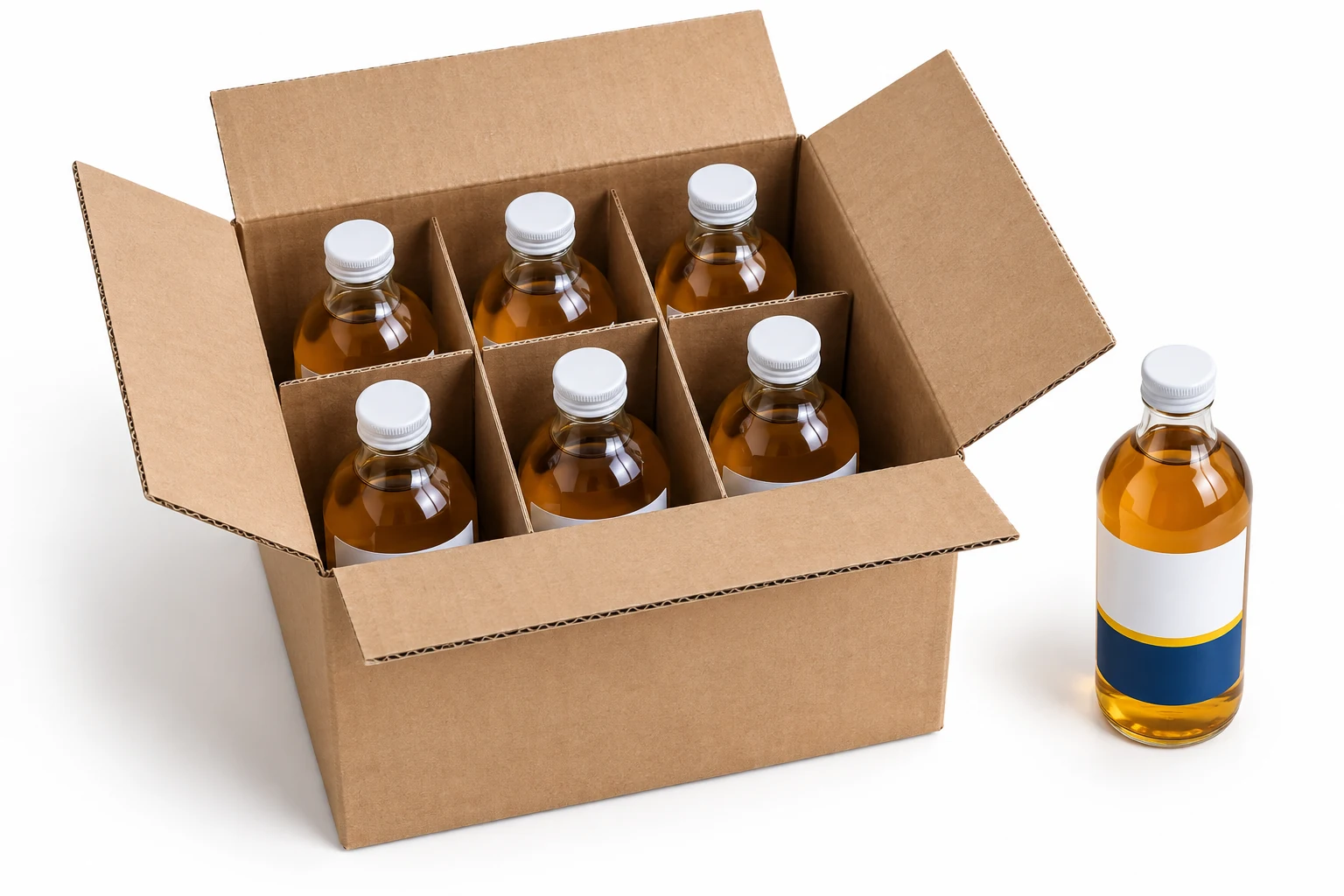
    Open corrugated case of closed bottles held by dividers
    A filled case includes the contents, dividers and board. Use production cases to establish the actual weight spread. Packaging illustration.

    Check weighing and pack handling at line speed

    Change one thing at a time in the trial. Fix a poor transfer before narrowing the weight window.

    Separate spacing from scale response
    If your target is 30–100 packs per minute, measure the actual gaps at the low and high rates. Confirm stable weighing and correct rejection with your own finished packs.
    Record missed rejects and false rejects separately
    Use known in-range, underweight and overweight samples, including examples near the limits. If the line has automatic rejection, log missed rejects and false rejects separately. Agree on the challenge sequence and pass criteria before the run.

    Bring your normal rate and the shortest observed gap. Use them to check the time available to weigh one pack. If automatic rejection is part of the setup, run the same samples through the reject point and confirm which pack was diverted.

    How should the line handle off-weight packs?

    Once the pack and weight window are set, choose an alarm, hold or automatic rejection for your line.

    Detect and confirm the rejected pack

    For a line that must remove or hold out-of-range packs without losing track of the adjacent packs.

    1. Read pack position
    2. Identify the off-weight pack
    3. Reject or hold it
    4. Confirm it went offline

    A short, light pack and a heavy case need different handling after the decision. Select the physical reject method against pack stability, clearance and weight, then confirm the same pack reached the intended outfeed or bin.

    Challenge adjacent off-weight packs, a missed reject confirmation and, where relevant, a full bin. Agree beforehand when the line should alarm or stop.

    Choose what the station does with the result

    Fit the equipment around the pack path and the action your production team must take.

    Production setupWhat operators doChangeover and interfacesWhat to prove in a run
    Weigh and signal to an operatorAttend the line and isolate the indicated pack.Change the weight recipe and clear the marked pack.Show the correct alarm or hold response.
    Weigh and automatically rejectReplenish or clear the reject destination as assigned.Match belt speed, trigger and reject timing to the new format.Track each challenged test pack and confirm removal.
    Checkweigher linked to line controlsMonitor weight trends and agreed fault messages.Agree handoff with filler or site controls if feedback is needed.Verify the interface response and recovery using a scripted stop.

    Compare checkweigher proposals with filled packs

    A lighter test pack or a slower conveyor can make two equipment offers look more alike than they are. Agree the same operating conditions.

    CompareWhat to agree with ComwinWhat to match in other offers
    Supply scopeIdentify infeed spacing, weigh conveyor, controls and rejection.Compare transfers, reject destination and confirmation.
    OutputSet the pack pitch and accepted rate at the agreed weight window.Compare dynamic tests with real packs, including consecutive rejects.
    Change formatsList pack weights, belt dimensions and recipes.Check guides and how a new product is verified.
    SupportAgree cleaning access and weight and reject checks.Confirm who maintains the unit and the connection to line controls.
    DeliveryShare site support and vibration conditions.Compare installed acceptance and test-pack responsibilities.

    Checkweighing questions

    Can a case checkweigher find one missing item?

    Only if that item changes the case weight enough to distinguish it from normal variation. Test complete cases and intentionally incomplete cases using real materials.

    Where do we install it?

    Select a point where each closed pack is easy to separate and support. Leave a clear path for the selected reject. For the upstream packing step, see automated bagging lines.

    Send the pack or case you need to weigh

    Share the usual line rate and shortest gap between packs if you can measure them. State whether your weight limits apply to the whole pack or the contents.

    Weigh small pouches or retail cartons

    Send first
    Send representative filled packs, their dimensions and the normal weight range. If available, include examples near the limits.
    What Comwin checks
    Belt size, the gap needed to weigh one pack at a time and what to test at line speed.

    Weigh a loaded shipping case

    Send first
    Send a full case or its dimensions and weight, plus the normal variation across complete cases. If the goal is to catch a missing item, specify the item and its weight.
    What Comwin checks
    Conveyor support and whether the expected drop in weight stands out from normal case variation.

    Set the response to an off-weight pack

    Send first
    Tell us whether the line should alert an operator, stop or automatically divert a pack. For a divert setup, include a photo or sketch of the space after the weigh belt.
    What Comwin checks
    Signals to the line and, if you choose automatic rejection, how to track the pack and confirm its removal.